About Lofi Study 24/7
Lofi Study 24/7 is a free, independently run resource combining a continuous lofi hip hop radio stream, a library of AI-generated Japanese aesthetic wallpapers in landscape, portrait and ultrawide formats, a built-in Pomodoro study timer, and four ambient background loops (rain, café, fireplace, wind). Everything on this page is free, requires no account, and works on desktop, tablet, and phone browsers without any downloads or extensions.
The stream has been broadcasting on YouTube since 2026 from a home server in Argentina (how it works). The music mixes tracks commercially licensed via Epidemic Sound (the Lofi Study 24/7 channel is registered to that subscription) with original instrumentals we generate ourselves with an open AI music model. Our wallpapers are generated with NoobAI-XL, an SDXL-based anime model, and enlarged afterwards, the landscape set up to 4K (how they are made). None of the work on this site uses real people, trademarked characters, or photographs of identifiable locations.
Why lofi works for study and focus
Research on background music and concentration is mixed: music helps some people and some tasks, and gets in the way of others. A few patterns do come up often. Lyrics tend to interfere with reading and memorising more than instrumental music does, and steady, predictable sound is easier to tune out than sudden changes. Lofi is instrumental, slow and even by design, which is why many people find it easy to keep in the background. If it distracts you, silence is a perfectly good choice. Our research summary goes into the details.
Many people combine background music with a structured work method such as the Pomodoro technique — 25 minutes of focused work followed by a 5-minute break — so there is a timer in the sidebar. You can also layer one of the ambient loops on top of the stream when you want a fuller soundscape.
How to use this site
- Press play on the embedded YouTube stream above. The music will continue even if you switch tabs. Volume is controlled from the video player itself.
- Set a Pomodoro timer from the sidebar. Use 25 minutes for most tasks, 5 for short breaks, 15 for long breaks after every four sessions.
- Add ambient sounds by clicking any of the four icons (rain, café, fire, wind). Each sound has its own volume slider, and they can be layered.
- Browse wallpapers below — click any image to open the download modal. You can choose from the sizes that fit that image's shape: Full HD, 2K and 4K for desktop, plus phone, tablet and ultrawide sizes.
- Explore our themed collections — the portrait collection is optimized for phone and tablet lock screens, while the full gallery below rotates all landscape, portrait, and ultrawide images.
Our wallpaper themes
The gallery is organized around recurring Japanese-aesthetic themes, each with its own mood and best-use cases:
- Shrine torii and bamboo forest — calm, grounded landscapes with strong vertical lines. Excellent for extended desktop use thanks to their muted palettes.
- Autumn maple villages — warm oranges and reds built around traditional Japanese architecture. Pair well with late afternoon study sessions.
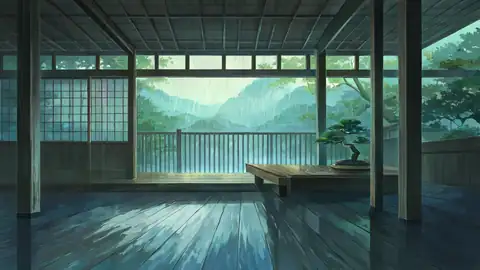
- Rainy porches (engawa) — night scenes with soft amber lamp light, designed to feel like a distraction-free interior.
- Snowy mountain villages and onsen — cold, still compositions with sparse detail. Low cognitive load, very restful on a second monitor.
- Rice fields and seaside lighthouses — wider, brighter landscapes. Good ultrawide choices for panoramic monitors.
- Cyberpunk rooftops and neon alleys — higher-contrast, more visually active. Works better as an occasional change than as a default study background.
- Cozy interiors — bookshops, study desks, kotatsu rooms. The scenes with the most people in them, and a good match for late-night sessions.
- New in October 2026 — seaside train stations, koi ponds, Mount Fuji, a konbini at night, summer fireworks, empty classrooms at sunset, a bike ride through the countryside and a neon ramen stall, made with a newer image model (Anima).
If you are new to the site, the blog has practical guides for combining the stream with study workflows, picking wallpapers for specific devices, and building a calmer workspace on a small budget. We publish new guides and wallpaper collections weekly.